Reading the DOM View
The DOM view is the same tree across every Real A11y surface — the Chrome extension, the
<SemanticNavigator />React component, the Storybook addon, and themode: "dom"option ontreeSnapshot(). This page applies to all of them.
The DOM view shows you the raw HTML structure of your page — every element, in the exact nesting order it exists in the document. Think of it as your browser's Elements panel, trimmed down to structure and meaning.
It answers the question: "What did I actually write?"
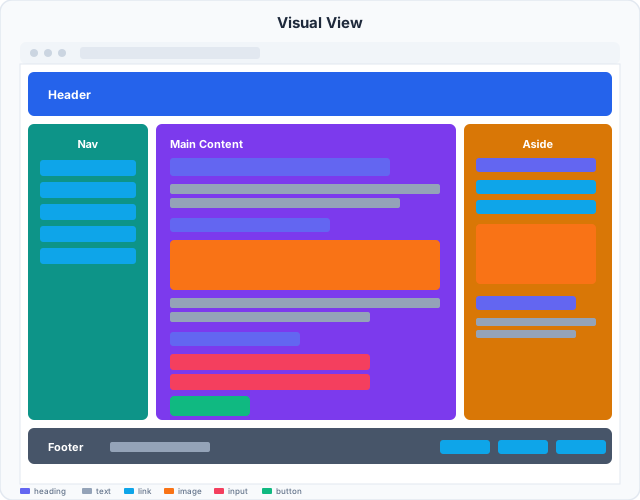
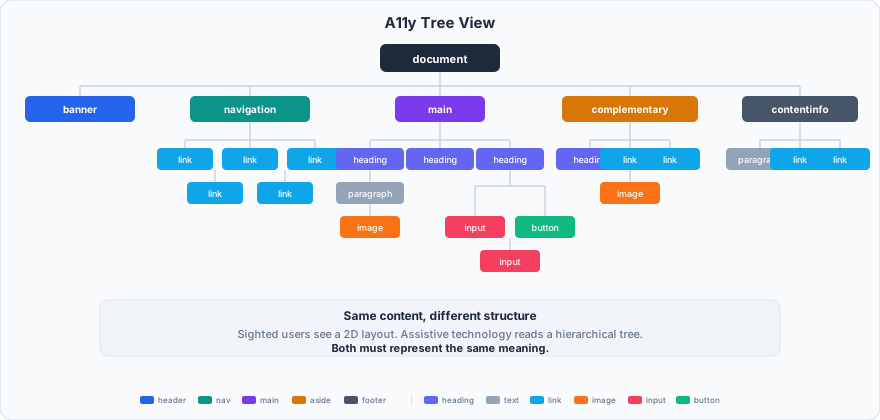
Left: what sighted users see. Right: the document structure. The DOM view shows the raw HTML that produces both.
What you see
Each row in the tree is one DOM element. You'll see:
- The tag name —
<button>,<nav>,<div>,<input>, etc. - A short text snippet if the element has text content
- Key attributes —
id,class,role,aria-*,type, and so on
Elements nest exactly as they do in HTML. Expanding a node shows its children.
When to use it
Cross-referencing structure. The A11y view can feel abstract — a heading with no children, a landmark that swallowed half the page. The DOM view lets you trace back to the actual markup to understand why.
Spotting structural problems. Unnecessary wrapper <div>s, a <button> buried inside a <table>, an <input> sitting outside its <form> — structure issues are easiest to see here.
Checking what ARIA you actually applied. If you added role="dialog" to a container but it's not behaving right, the DOM view will confirm whether the attribute landed where you think it did.
What to look for
Semantic HTML vs. fake HTML
There's a real difference between a <button> and a <div role="button">. Both show up in the DOM view. The <button> gets keyboard support, focus management, and correct announcement for free. The <div> gets none of that unless you wire it up manually.
When you see custom elements (<div>, <span>) carrying role attributes, that's a yellow flag — not necessarily wrong, but worth a second look in the A11y view to confirm the name and states are also correct.
Nesting that doesn't make sense
Certain HTML nesting rules are invisible until something breaks:
- A
<button>inside another<button>— invalid HTML, creates unpredictable behavior - An
<li>that isn't a direct child of<ul>or<ol> - A
<label>without a matchingforor a wrapped input inside it - Block elements (
<div>,<p>) nested inside inline elements (<span>,<a>)
The DOM view makes these patterns obvious at a glance.
Too many <div>s between meaningful elements
A label and its input should be close in the tree. If you see five levels of <div> wrapping before you reach an <input>, it's a sign the component structure grew organically and might be worth simplifying — both for accessibility and for maintainability.
How it relates to the other views
| View | What it answers |
|---|---|
| DOM | What did I write? |
| A11y | What do assistive technologies see? |
| TAB | What does a keyboard user navigate through, and in what order? |
The DOM view is your starting point for structural debugging. Anything that looks wrong here will likely show up as a problem in the A11y or TAB views too — so fix it at the source.